

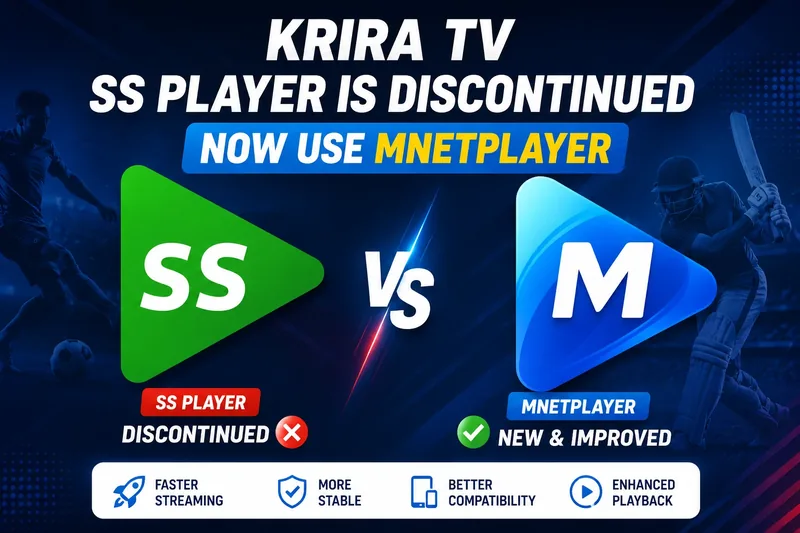
Many users still search for Krira TV SS Player Download when trying to watch live sports through Krira TV. However, SS Player has been discontinued and is no longer supported by the latest versions of Krira TV.
If you are seeing messages asking you to install SS Player or are experiencing playback issues, don’t worry. Krira TV has moved to a newer and more reliable solution called MnetPlayer.
In this guide, you’ll learn what happened to SS Player, why it no longer works, and how to continue watching matches using the latest version of Krira TV.
What Was Krira TV SS Player?
SS Player was a video player previously used by older versions of Krira TV for streaming live sports content. It handled match playback and allowed users to watch football, cricket, and other sporting events directly through the app.
For a long time, users were required to install SS Player separately before they could start streaming content on Krira TV.
However, technology changes quickly, and the player eventually became outdated.
Is SS Player Still Available?
No.
SS Player has been completely discontinued and is no longer maintained.
Because of this:
- New updates are no longer released.
- Some devices may experience playback issues.
- Compatibility with newer Android versions is limited.
- Older streaming methods are no longer supported.
For the best viewing experience, users should switch to the latest version of Krira TV and use MnetPlayer.
Krira TV Now Uses MnetPlayer
To provide a better streaming experience, Krira TV now uses MnetPlayer instead of SS Player.
MnetPlayer is the official replacement and offers several improvements over the old player.
Benefits include:
- Faster stream loading
- Better video stability
- Reduced buffering
- Improved Android compatibility
- Enhanced playback performance
- Better support for live sports streaming
If your version of Krira TV still requests SS Player, it is likely outdated.
Why Does Krira TV Ask Me to Install SS Player?
This usually happens when you are using an older version of Krira TV.
Older versions were built to work with SS Player and may still display outdated installation prompts.
To solve the issue:
- Remove your old Krira TV version.
- Download the latest Krira TV APK.
- Install the updated version.
- Install MnetPlayer if prompted.
- Launch Krira TV and enjoy streaming.
Updating your app is the easiest way to eliminate SS Player-related errors.
How to Fix SS Player Not Working
If SS Player is not working on your device, follow these steps:
Step 1: Uninstall SS Player
Remove any existing SS Player installation from your Android device.
Step 2: Remove Old Krira TV Versions
Delete older versions of Krira TV that still depend on SS Player.
Step 3: Download the Latest Krira TV APK
Install the newest version available from the official Krira TV website.
Step 4: Install MnetPlayer
When prompted, install MnetPlayer to handle video playback.
Step 5: Open Krira TV
Launch the app and start watching live matches without playback issues.
Advantages of MnetPlayer Over SS Player
| Feature | SS Player | MnetPlayer |
|---|---|---|
| Active Support | No | Yes |
| Android Compatibility | Limited | Excellent |
| Streaming Stability | Average | Improved |
| Loading Speed | Standard | Faster |
| Future Updates | No | Yes |
| Live Sports Playback | Limited | Optimized |
MnetPlayer is designed to provide a smoother and more reliable streaming experience for modern Android devices.
Frequently Asked Questions
Is SS Player still required for Krira TV?
No. New versions of Krira TV use MnetPlayer instead of SS Player.
Can I still download SS Player?
Older copies may exist online, but they are no longer officially supported and may not work properly.
Why is SS Player not working?
SS Player has been discontinued and is no longer maintained. Compatibility issues may occur on newer devices.
What is MnetPlayer?
MnetPlayer is the official video player currently used by Krira TV for live sports streaming and video playback.
Do I need to install MnetPlayer?
Yes. Some versions of Krira TV require MnetPlayer for video playback and streaming.
Will updating Krira TV fix playback problems?
In most cases, yes. Updating to the latest version and using MnetPlayer resolves common playback and compatibility issues.
Final Thoughts
If you’re searching for Krira TV SS Player Download, it’s important to know that SS Player is no longer supported. The latest versions of Krira TV now rely on MnetPlayer to deliver a faster, more stable, and more reliable streaming experience.
To avoid playback errors, buffering issues, and installation problems, always use the latest version of Krira TV along with MnetPlayer.
This ensures you can enjoy live football, cricket, and other sports events without interruption.